Disklavier MIDI Visualizer¶
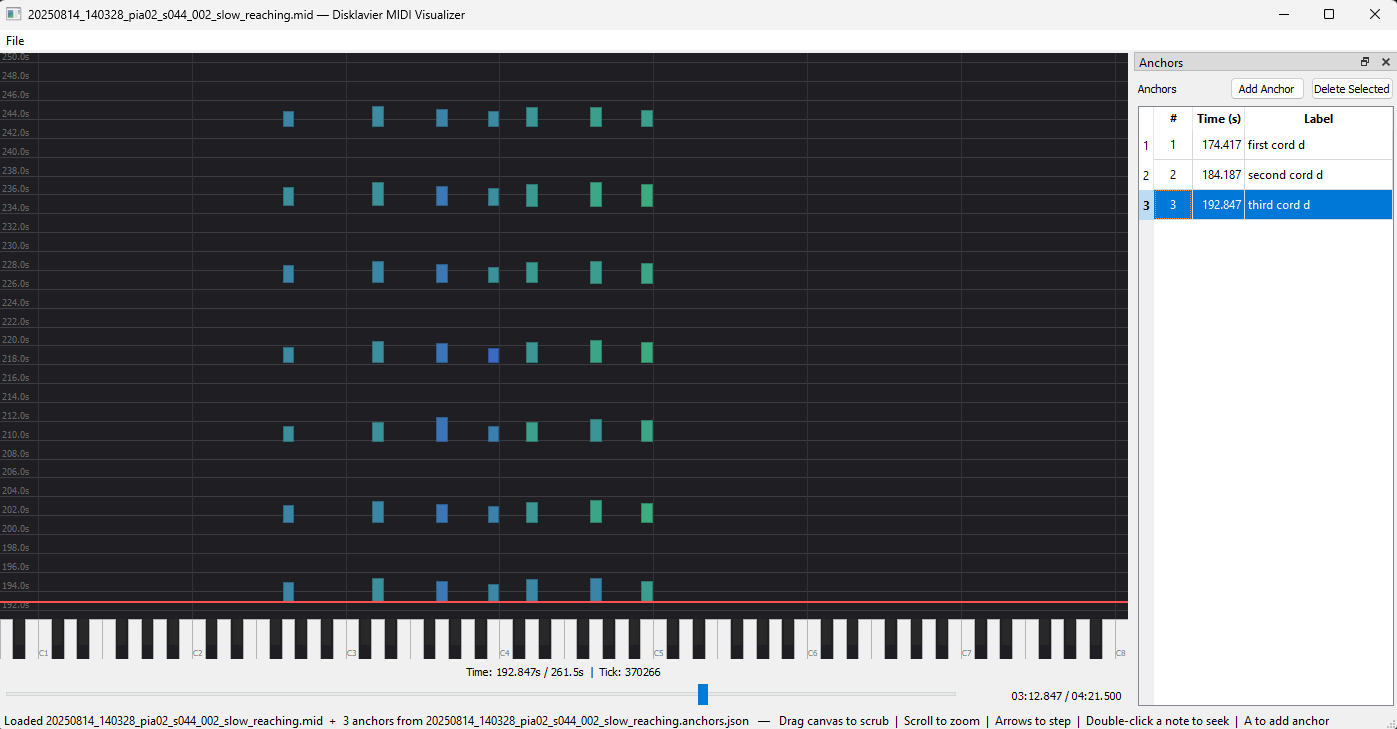
A small PyQt5 desktop app for inspecting Disklavier MIDI recordings as a falling-keys piano roll. Pick a .mid file, scrub through it, zoom in or out, mark moments of interest as anchors, and save the anchor list as a JSON sidecar.
Who this is for¶
Researchers and musicians working with Disklavier MIDI recordings (or any single-track piano MIDI) who need a lightweight tool to eyeball a performance and annotate timestamps without booting a full DAW.
What it does¶
- Opens a
.midfile via File → Open… (Ctrl+O). - Renders every note from the first track as a coloured rectangle falling from the top of the canvas toward a red playhead. Note colour encodes velocity.
- Lets you scrub by dragging the canvas, dragging the timeline slider at the bottom, or clicking on the slider trough.
- Zooms the time axis with the mouse wheel (0.5 s – 60 s viewport) and steps tick-by-tick with the arrow keys.
- Captures anchors —
(timestamp, label)pairs at the playhead — into a dockable table on the right. Anchors persist as a JSON sidecar (*.anchors.json) bound to one MIDI file by absolute path.
No audio, no editing
The app does not play audio and does not modify the MIDI file. Anchors are the only persistent output, and they live in their own JSON file next to the MIDI.
Where to start¶
- New? Read §1 Overview for the intent and scope, then jump to §2.1 Installation.
- Already installed? §2.2 First launch walks you from
python -m disklavier_visualizerto a loaded file in a couple of minutes. - Looking up a specific behaviour? Each UI element has its own page under §3 Reference.
- Need a quick refresher? §3.5 Keyboard shortcuts is a one-page cheat sheet.
Origins¶
The MIDI parser (disklavier_visualizer/io/midi_adapter.py), the falling-keys canvas (disklavier_visualizer/ui/midi_canvas.py), and the anchor table (disklavier_visualizer/ui/anchor_table.py) are adapted from the sibling midi_camera_alignment_tool project, trimmed for a standalone visualizer (no camera, no two-phase alignment, no AlignmentService indirection).