MIDI–Camera Alignment Tool¶
A PyQt5 desktop tool for temporally aligning overhead camera recordings (Sony FX30, ~240 fps) with Disklavier MIDI files across a multi-participant piano study.
The two recording systems run on unsynchronized clocks separated by a constant 1–20 minute offset per participant. This tool provides a manual two-phase workflow to recover the alignment and persist it as JSON.
Who this is for¶
Researchers working with paired Disklavier MIDI + overhead video recordings who need to index MIDI events against camera frames for downstream analysis.
What it does¶
- Scans a participant folder for
.midfiles indisklavier/and.MP4 + .XMLpairs inoverhead camera/. -
Displays every MIDI clip and every camera clip as a Gantt-style timeline (Level 1).
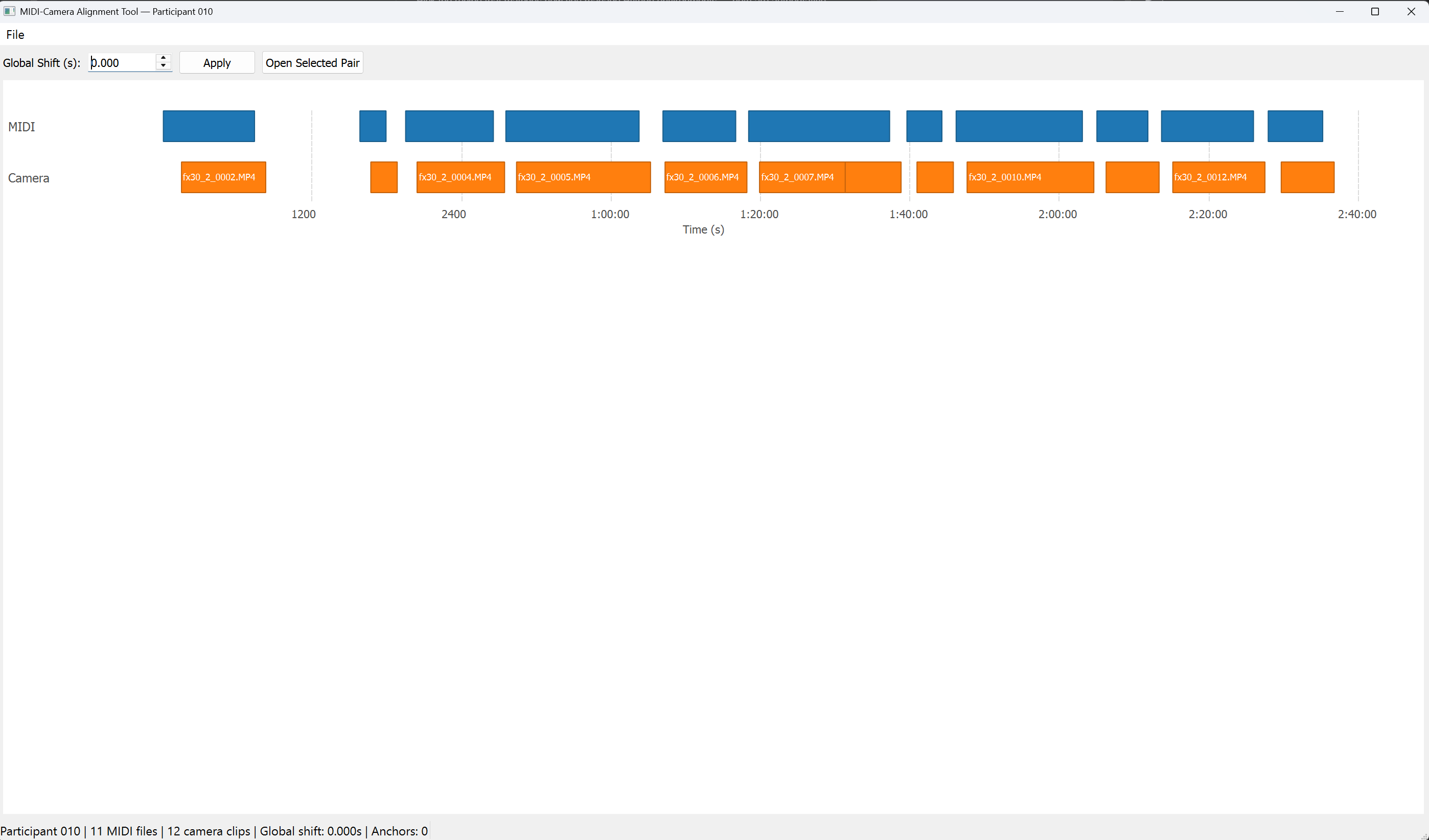
-
For any MIDI + camera pair, opens a detail view with a falling-keys piano roll, a frame-accurate video viewer, a dual-track overlap bar, a pixel-intensity probe, and an anchor table (Level 2).
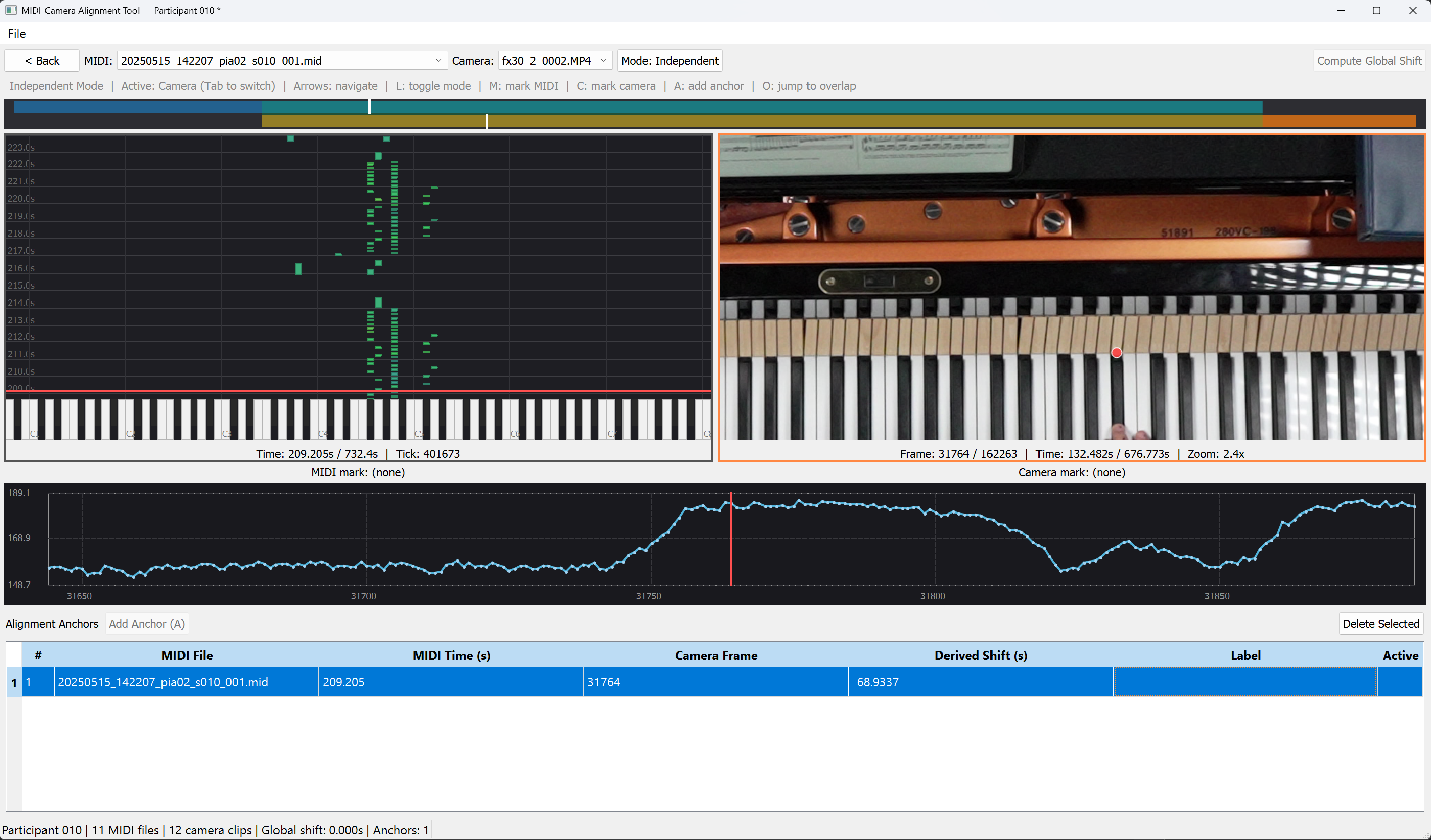
-
Lets you mark one MIDI keystroke and the matching video frame, then either computes a global shift or records a per-clip anchor to refine alignment.
- Saves and loads the session as a versioned JSON file (Schema v1).
No audio, no export
The tool does not play audio and does not export aligned data. The JSON save file is the output — downstream code consumes the anchor set and the global shift to map MIDI seconds ↔ camera frames.
Where to start¶
- New to the tool? Read §1 Motivation to understand the problem, then §2 How data is derived to understand what the tool infers from each file.
- Ready to use it? Jump to §3 Getting started.
- Need a quick refresher? §5 Keyboard shortcuts is a one-page cheat sheet.